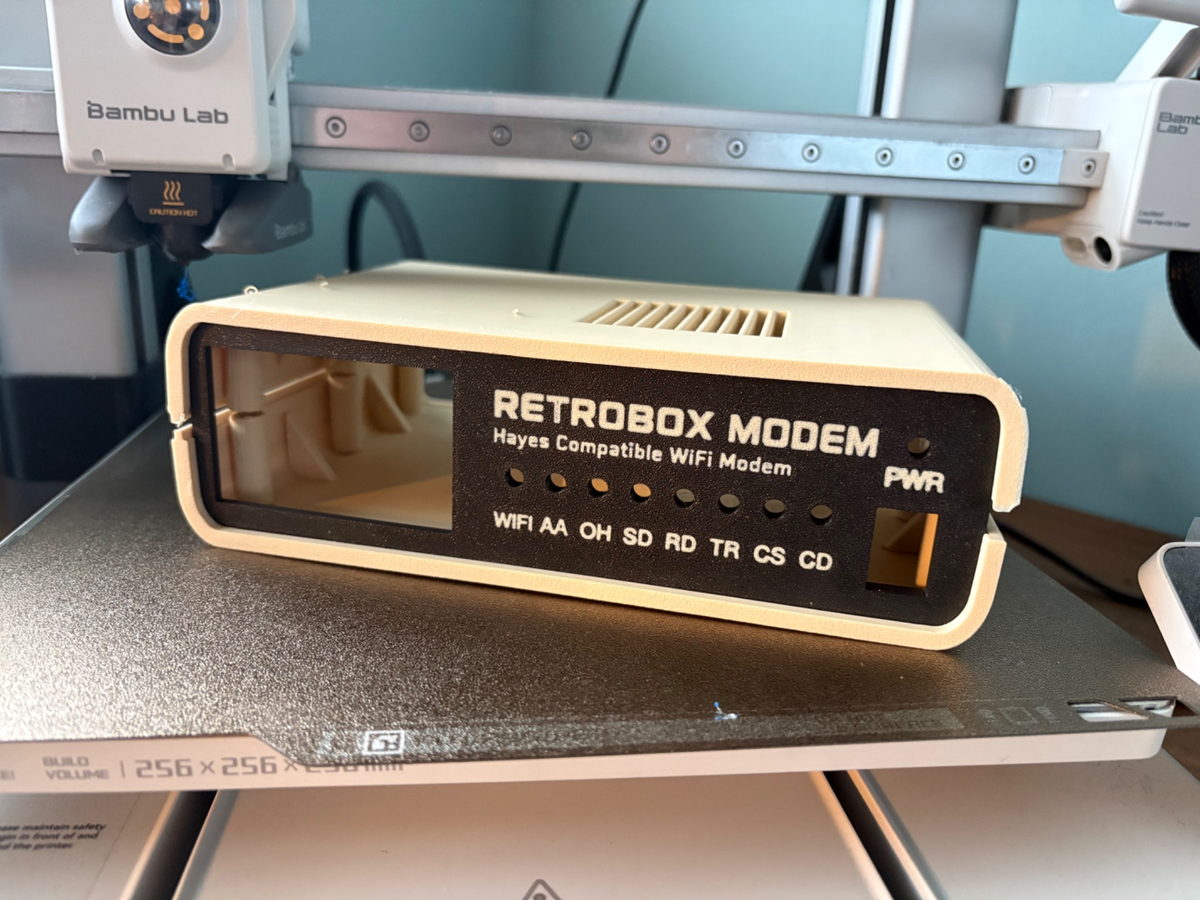
The hardest part of the project so far
One of the things that has surprised me most while developing RetroBox Modem is that the enclosure has become the hardest part of the project so far.
I am a programmer, not a 3D designer. When I started working on the case, I had a fairly clear idea of what I wanted, but not necessarily how to turn it into something that could be printed, fitted together properly and remain practical whenever I needed to open it again.
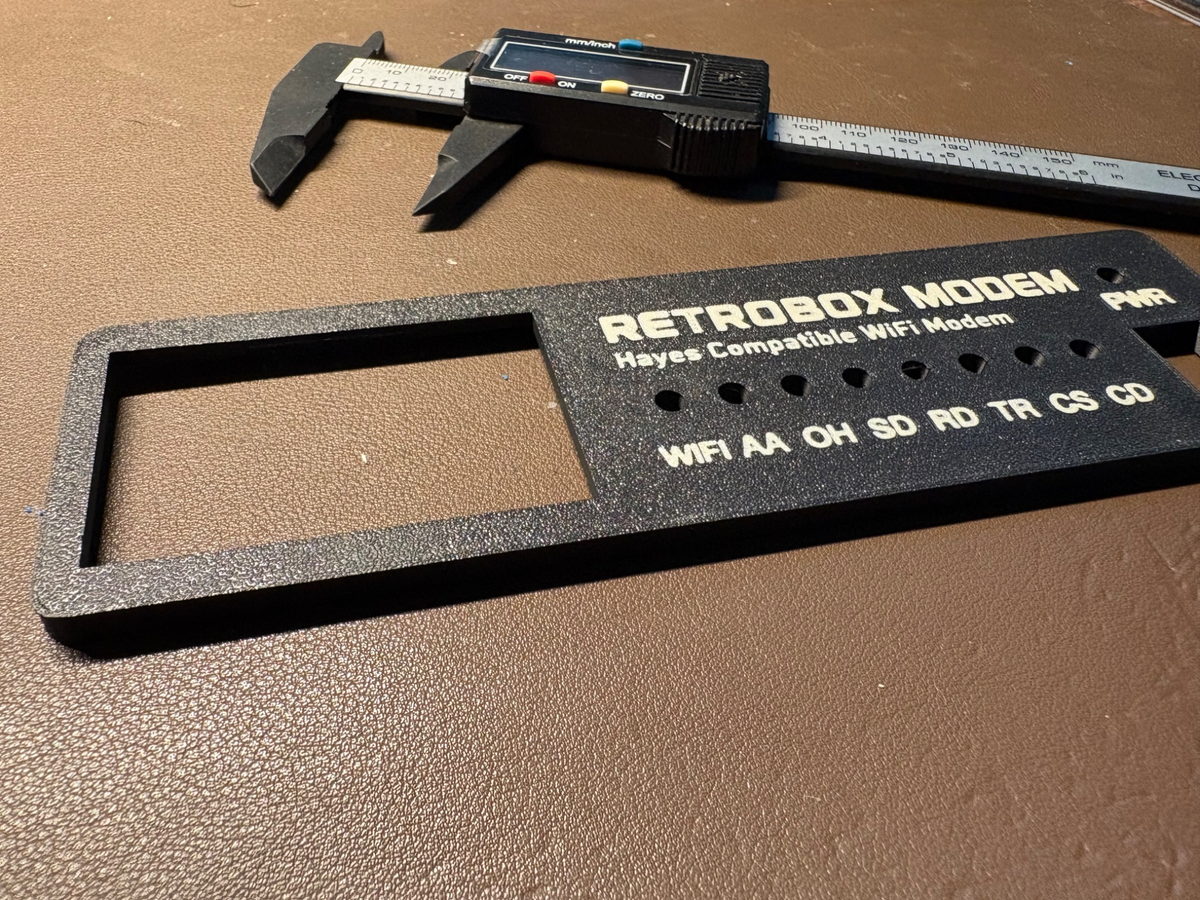
Learning to build the enclosure in Tinkercad
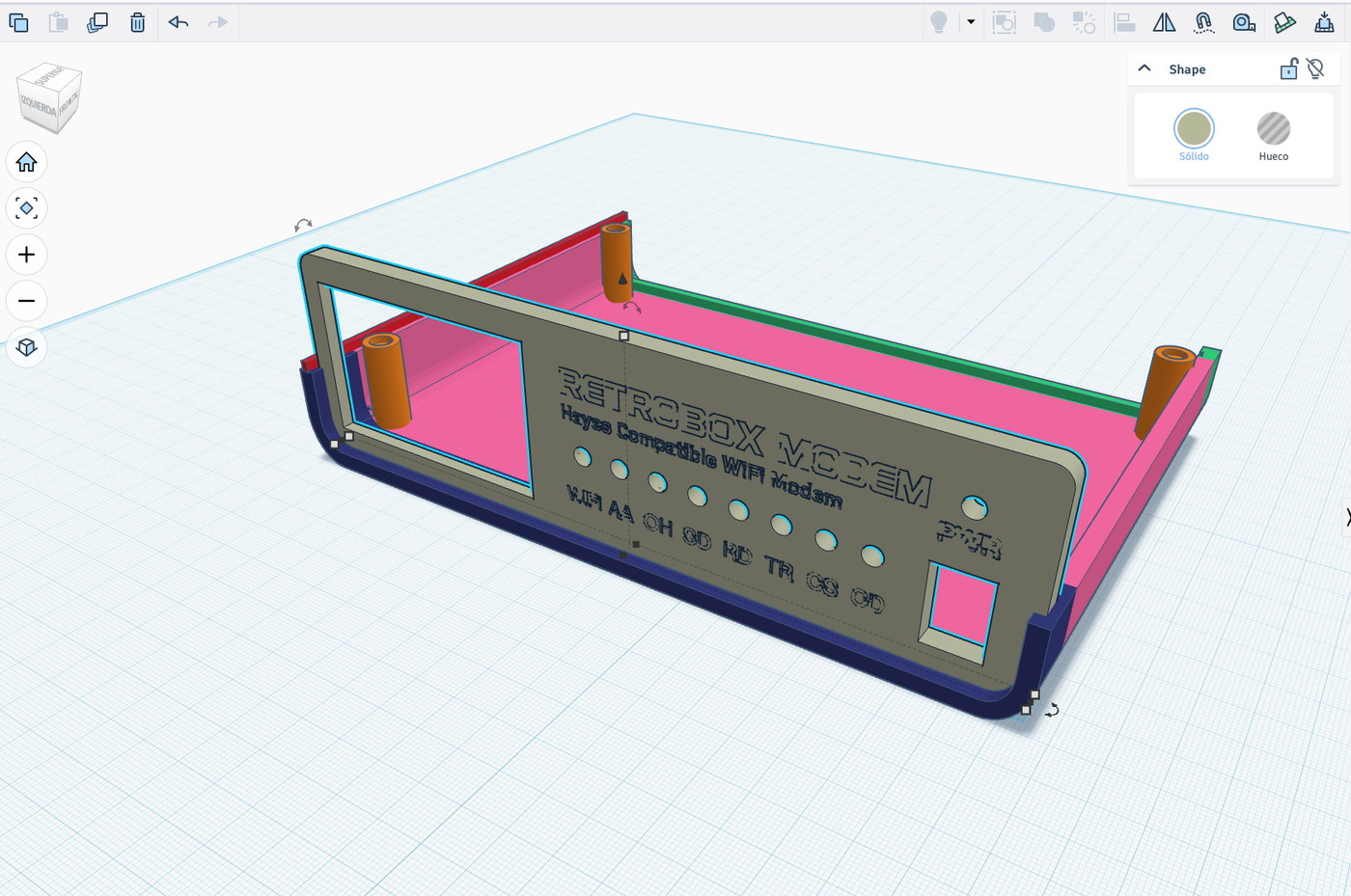
I have been designing it in Tinkercad. It is a relatively approachable tool, and that has allowed me to make progress without having serious previous CAD experience.
Even so, the process has not been easy. Making an enclosure look right on screen is one thing. Making it printable, getting the front panel to fit, leaving enough room for the components and making sure everything can be assembled without forcing the parts is something else entirely.
Every print has revealed something else that needed changing. At this point the design is getting quite close to what I originally had in mind for RetroBox Modem, although I still consider these parts prototypes.
Opening the case without tools
There was one decision I was fairly sure about from the beginning.
Those of us who enjoy kits tend to do the same thing sooner or later: we open the case again.
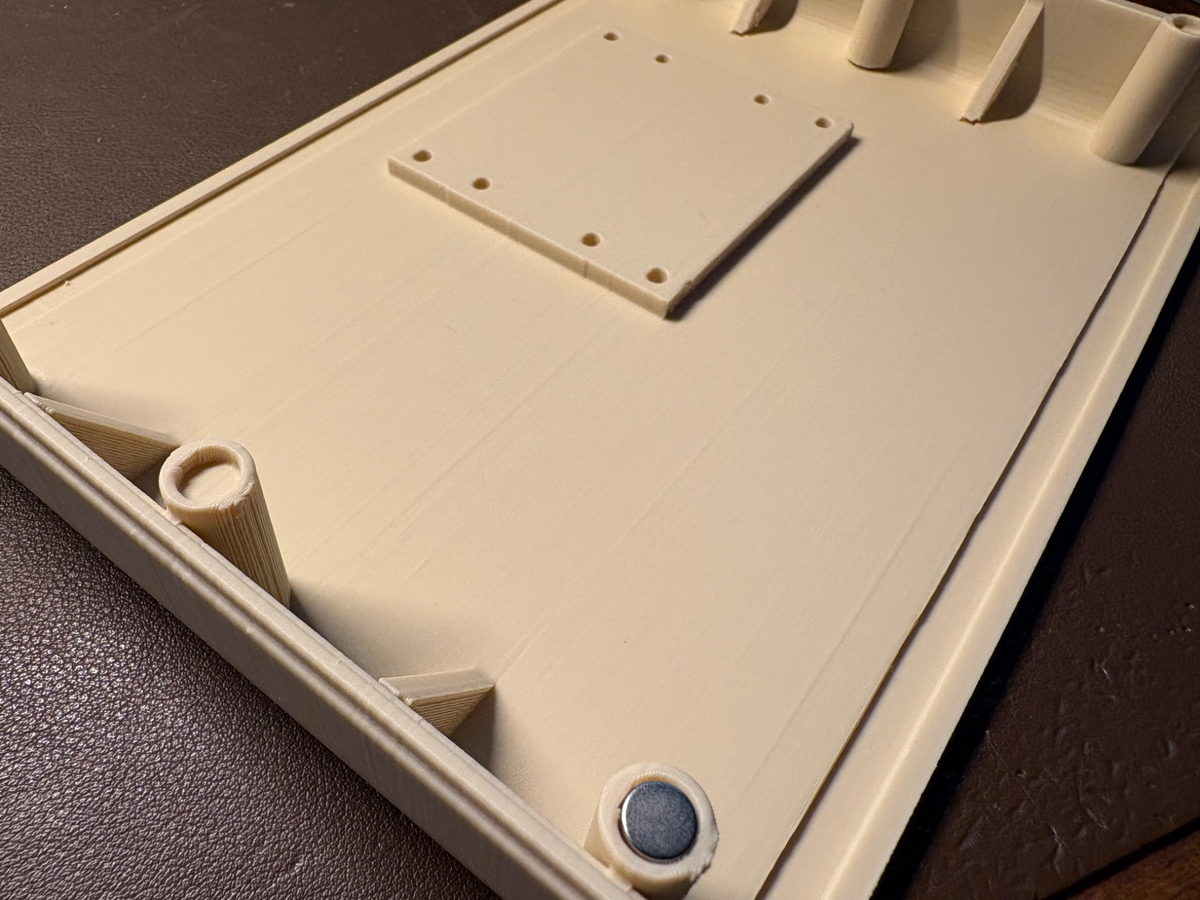
I therefore did not want RetroBox to depend on screws every time I needed access to the electronics. I have designed the enclosure to close using neodymium magnets, allowing it to be opened and closed without reaching for a screwdriver.
The magnet mounts are built directly into the printed parts. This is not only useful while developing the modem. I also want access to remain convenient later, whether that means changing a board, modifying a connection or simply taking a look inside.
From Raspberry Pi Zero to Raspberry Pi 5
The internal base has required quite a bit of work as well.
RetroBox Modem currently uses a Raspberry Pi Zero 2 W as its development platform, but I did not want the entire enclosure to be designed around a single board.
I have created a mounting pattern with several fixing points intended to mechanically accommodate boards ranging from the Raspberry Pi Zero family to full-size Raspberry Pi boards, including the Raspberry Pi 5.
That does not mean that all of those models are already supported by RetroBox Modem. Being able to physically mount a board is different from validating connector positions, power requirements, thermals and firmware behaviour. The current platform remains the Raspberry Pi Zero 2 W.
The aim is simply to avoid redesigning the entire base if I want to experiment with another Raspberry Pi later.
Prototyping on a Bambu Lab A1
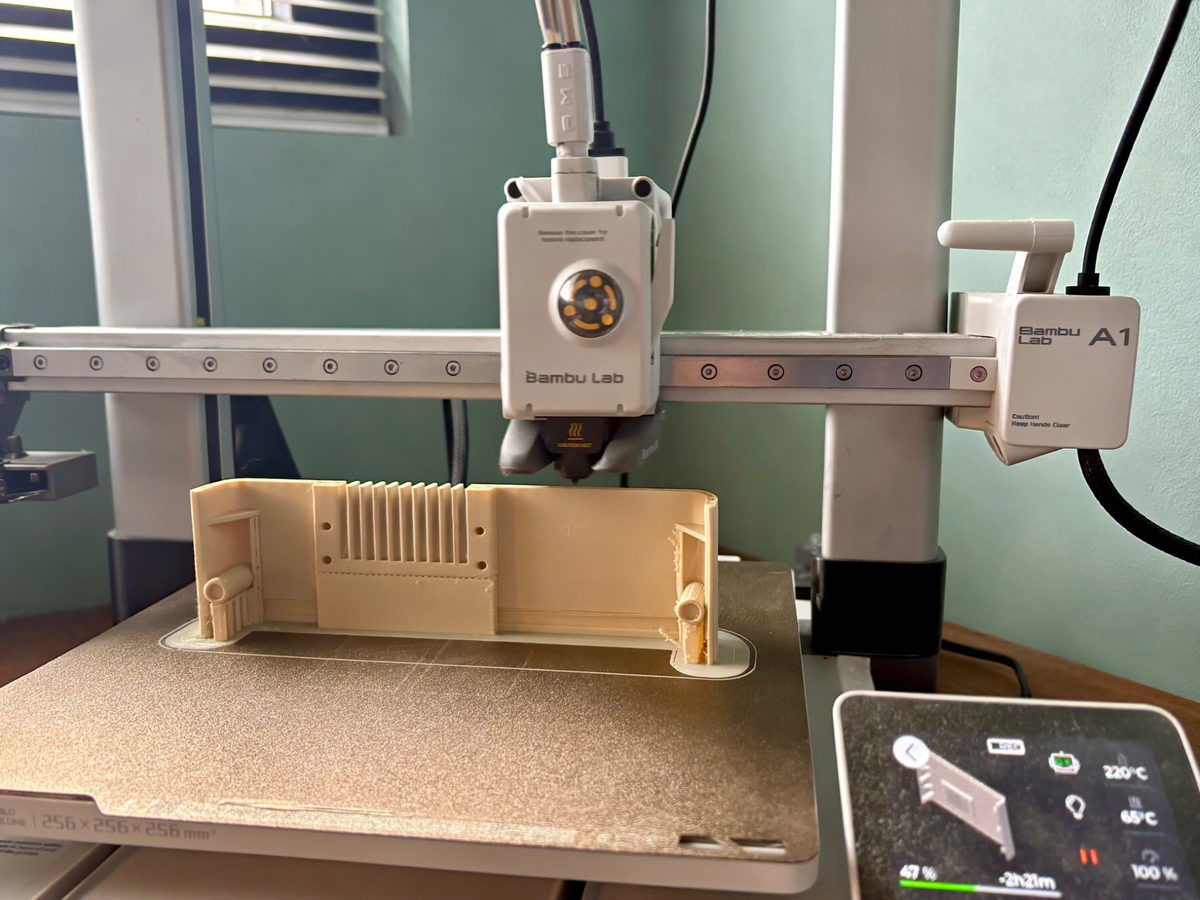
The first test prints are being made on a Bambu Lab A1 with AMS.
The A1 has been particularly useful for quick iterations, checking fits and testing the two-colour front panel. Parts that appear completely reasonable in Tinkercad can reveal their problems very quickly once they are physically in your hands.
That is exactly why I am printing so many prototypes.
The intention is to produce the final parts on a Bambu Lab X2D, aiming for an even cleaner finish, but I want the mechanical design resolved before that stage.
Print quality matters, but the enclosure has to work first.
The photographs are part of the development
I wanted to publish these photographs because they show a part of the project that would normally remain hidden.
Some of these pieces are not final. Some test prints will end up in a drawer, and some small decisions will almost certainly change before the enclosure is finished.
But this is how RetroBox Modem is actually being built.
The front panel beside the caliper, the first assembly tests, the enclosure still sitting on the printer, the Tinkercad model and the magnet mounts show the real state of the project much better than a perfect render would.
What comes next
There are still tolerances, mounting points and internal details to refine, but the enclosure is beginning to move from something on a screen to something I can actually use.
The next steps are to continue testing the magnetic closure, check the mounting pattern with real boards, finish the internal mounting points and assemble the complete RetroBox Modem hardware again inside this version of the enclosure.
That is also the purpose of this blog: to document the development as it actually happens, including the parts that turn out to be considerably harder than expected.
Follow the next enclosure tests
Future build notes will continue to cover the enclosure, electronics, firmware and real BBS testing as RetroBox Modem develops.
Get project updates →